
EcoFlow RIVER 3 Won't Turn On or Charge: Fix Guide (2026)
Official-manual fixes for an EcoFlow RIVER 3 that won't turn on or won't charge: hibernation wake, the documented reset, error icons, and the 0-45°C charge window.
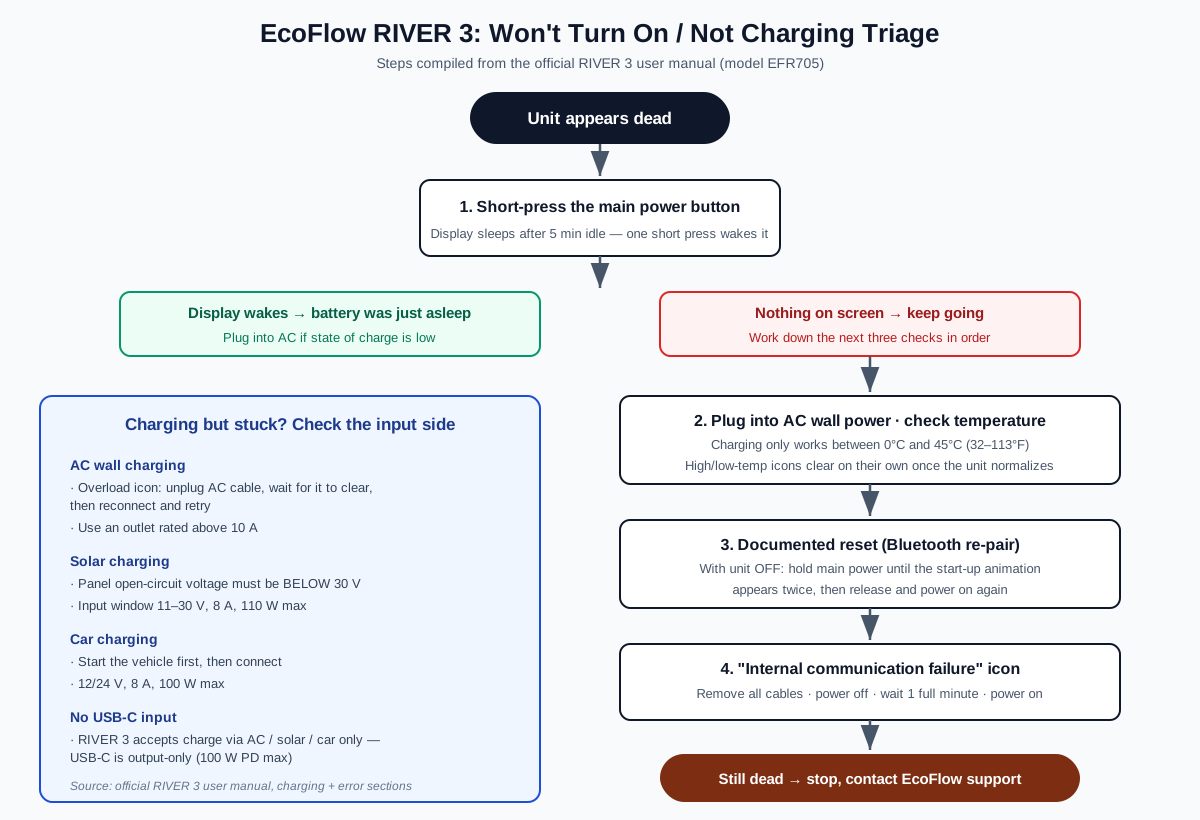
TL;DR: A RIVER 3 that seems dead is usually just asleep, not broken. Short-press the main power button once — the display hibernates after 5 minutes of inactivity. If the screen stays dark, put it on AC wall power and confirm the unit is between 0°C and 45°C, because charging is hard-blocked outside that window. The only reset procedure EcoFlow documents for this model is the hold-power-button-until-the-animation-appears-twice sequence used for Bluetooth re-pairing, followed by a 1-minute full power cycle for internal communication errors. Everything in this guide is compiled from the official RIVER 3 user manual (model EFR705) and cross-checked against verified user reports — no invented statistics.
The RIVER 3 is EcoFlow’s smallest mainstream LiFePO4 station: 245Wh, 300W of continuous AC output (600W with X-Boost), and about 3.5 kg. Its compact size makes it the unit most likely to live on a shelf, in a glovebox, or in a closet between uses — exactly the lifestyle that produces “it won’t turn on” and “it won’t charge” panic posts. The good news, per the official manual, is that most of these states are protective behaviors you can reverse in minutes, not hardware failures.
First, identify which failure you actually have
Three different problems get described as “my RIVER 3 is dead,” and each needs a different response:
- Won’t wake. No display, no response to button presses. The unit is off or hibernating.
- Won’t charge. The display works, but plugging into AC, solar, or a car socket produces no input watts — or an error icon flashes.
- Charges for a while, then stops. Input starts normally, then the unit cuts charging by itself. This is almost always temperature protection or an AC charging overload event, both of which are documented, self-clearing behaviors.
If the screen lights up at all, skip to the charging sections further down. If nothing responds, work through the next section in order — each step is either a documented behavior of the unit or the documented recovery for a documented error.
Why a RIVER 3 “won’t turn on” — the 60-second checks first
It is probably hibernating, not off
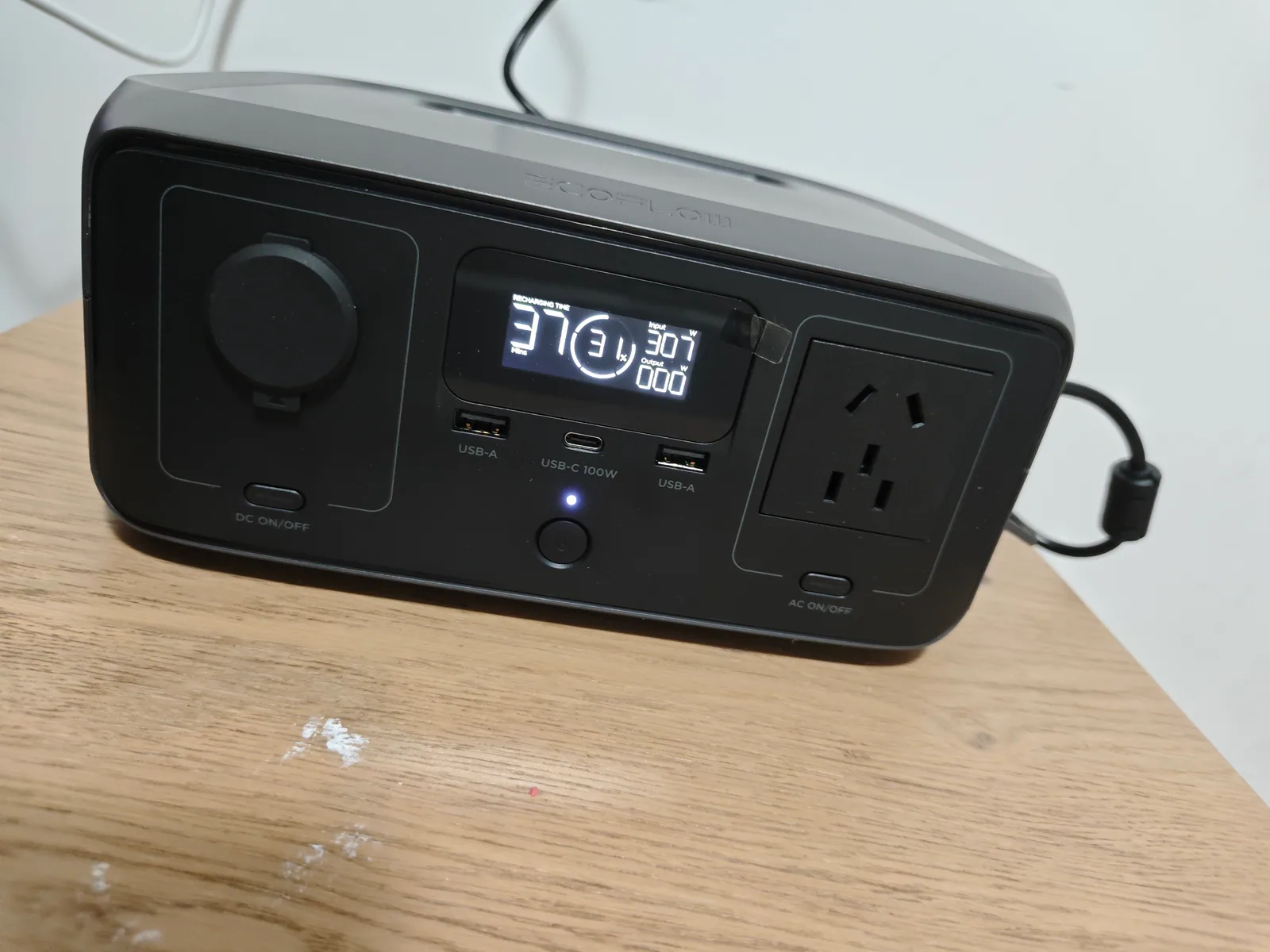
The RIVER 3 enters hibernation after 5 minutes of inactivity to protect the battery, and a sleeping display looks exactly like a dead unit. The official manual’s power-on procedure is a single short press of the main power button; pressing it again turns the display back off. Before assuming hardware failure, short-press the main power button once and watch the screen for a few seconds.
Know the difference between sleep and a full shutdown
Powering the unit fully off requires a long press of the main power button for about 3 seconds. If someone in the household long-pressed it “to turn the screen off,” they actually shut the whole station down — and a short press wakes it from hibernation but a full shutdown needs its own short press to boot back. Neither state indicates a fault.
You can’t power it down while it’s charging
The manual flags a behavior that confuses many owners: while the RIVER 3 is charging, it cannot be turned off by long-pressing the main power button unless the charging cable is unplugged. If your unit ignores long presses, check whether a cable is attached before concluding the button is broken.
Where the RIVER 3 differs from the RIVER 2
Owners coming from the RIVER 2 often look for a two-button combo wake or a USB-C trickle-charge recovery. The RIVER 3 manual lists only three input paths — AC, solar, and car — and does not document USB-C input or a button-combo BMS wake. USB-C on this unit is output-only (up to 100W PD). So the USB-C trickle-wake rescue from the RIVER 2 guide does not apply here; the documented recovery paths are the ones below.
The only reset EcoFlow documents for the RIVER 3
There is no dedicated reset button and no documented “factory reset” key combination on the RIVER 3 front panel. The reset-adjacent procedure the official manual does document is part of Bluetooth connection troubleshooting, and it works as a general re-boot of the unit’s radio and controller state:
RIVER 3 documented reset (Bluetooth re-pair sequence)
-
Power the unit off
Hold the main power button for about 3 seconds to shut the RIVER 3 down completely. Unplug any charging cables first — the unit refuses a full shutdown while charging.
-
Hold the main power button with the unit off
With the station off, press and hold the main power button. Keep holding until the power-on animation appears a second time, then release. This is the manual's documented sequence for resetting the Bluetooth connection.
-
Power on and retry
Short-press the main power button to boot normally. Try your original action again — app pairing, output control, or re-establishing a connection.
If the unit came back but an error icon is now showing, jump to the error table below — each icon has a documented clearing procedure.
Every documented RIVER 3 error icon and what clears it
The manual’s error table is short — six entries — and most of them self-clear. This is the full list, with the documented fix for each:
| Icon | Meaning | Documented fix | Clears |
|---|---|---|---|
| Thermometer (hot) | High temperature | Stop using. Move to a well-ventilated place away from heat. | Automatically, when temperature normalizes |
| Thermometer (cold) | Low temperature | Move the unit to a warmer place. | Automatically, when temperature normalizes |
| AC plug variants | AC charging overload | Remove the AC charging cable. Wait for the message to clear, then reconnect and try again. | Automatically after cable removal |
| Device overload | AC discharge overload | Remove connected devices, then try using the product again. | Automatically after load removal |
| Fan | Fan blocked | Turn the product off, remove cables, check the heat vent at the rear, remove foreign objects, try again. | After clearing the obstruction |
| Link/connection | Internal communication failure | Stop using. Remove all cables, turn the unit off, wait 1 minute, then turn it on again. | After the 1-minute restart |
For any error message not in this table, the manual’s instruction is to check the EcoFlow app for details, and if problems persist, stop using the unit and contact EcoFlow customer service. That’s the documented escalation path — there is no deeper user-serviceable layer on this model.
RIVER 3 not charging from the wall: the three documented causes
Cause 1 — AC charging overload. If the AC charging overload icon appears, the manual’s fix is mechanical: remove the AC charging cable, let the message clear automatically, then reconnect the cable and try again. Repeated overload trips on the same outlet suggest the outlet itself is marginal — the manual specifies using a power socket with a capacity greater than 10A.
Cause 2 — the input ceiling. US-model RIVER 3 units accept up to 320W of AC input. That’s not a fault, but owners sometimes pair the unit with third-party AC adapters that can’t deliver enough power, see very slow charging, and read it as “not charging.” The provided AC charging cable on a >10A outlet is the documented baseline; verified user reports of slow third-party charging match that ceiling.
Cause 3 — temperature. Charging is specified for 0°C to 45°C (32°F to 113°F) only. A unit stored in a garage, porch, or car through a cold night will refuse AC charging until its cells warm into the window — and because the low-temperature icon only appears when the unit is awake, a deeply cold unit can simply sit there looking like it refuses to charge. Bring it into a room-temperature space and give it time; the manual states temperature messages clear when the temperature normalizes.
Not charging from solar: the 30V rule owners miss
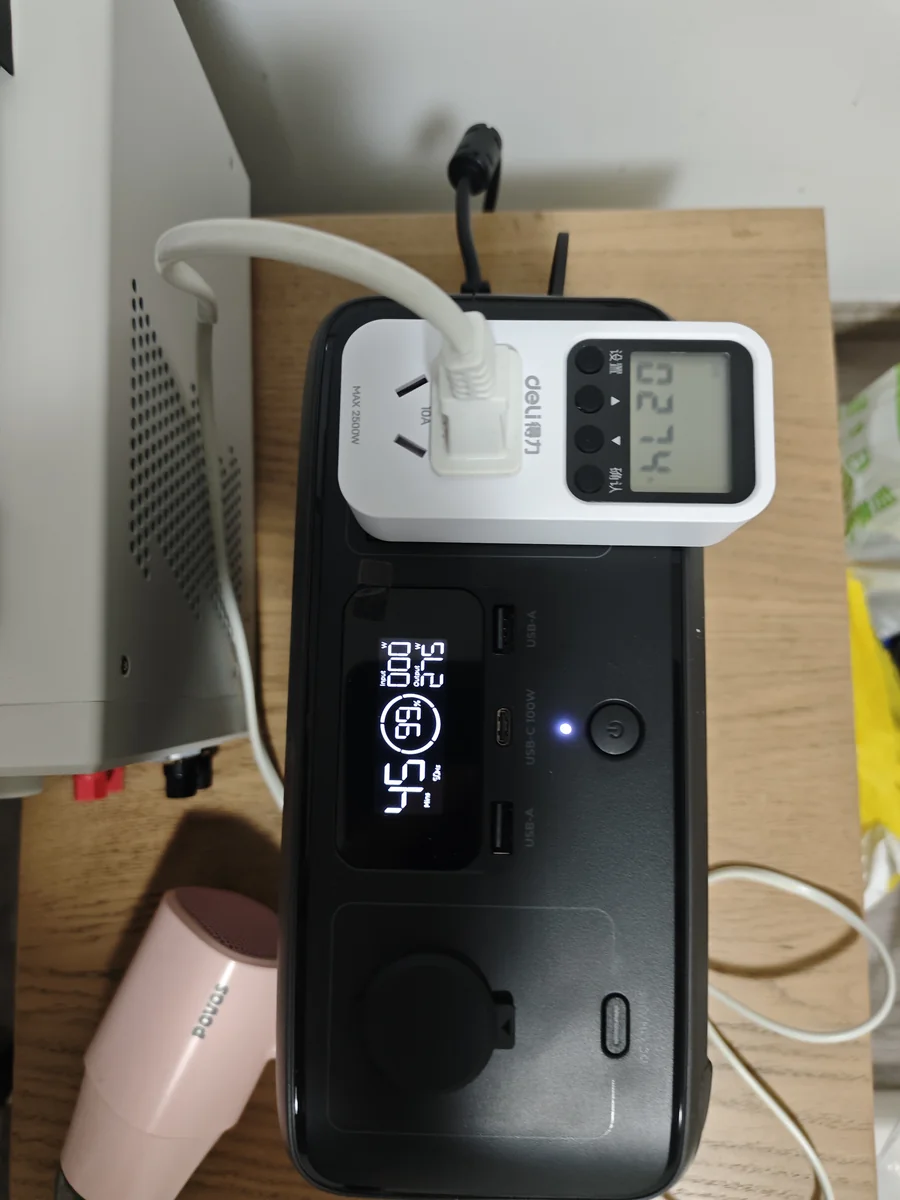
The single most common solar-charging mistake on this model is voltage. The manual is explicit: ensure the solar panel’s output voltage is less than 30V before connecting, and the solar input spec is 11-30V at 8A, 110W max. A panel whose open-circuit voltage exceeds 30V can be over the limit even though its “12V panel” label suggests otherwise — cold weather pushes panel voltage up, not down.
The practical checks, per the spec sheet and verified user reports:
- Confirm the panel’s open-circuit voltage (Voc), not its nominal rating, is under 30V. A “12V” panel with a Voc of 21-22V is fine; two of those in series are not.
- Stay inside the 11-30V window: below 11V the MPPT won’t engage, above 30V the input is unprotected against damage.
- Expect at most 110W of solar input regardless of panel size, and use a solar charging cable — one is not included in the box.
- For panel-to-unit wiring and connector questions, the solar panel compatibility guide covers which panel types and connector adapters pair safely with EcoFlow’s XT60-style solar input.
Not charging from the car: sequence matters
Car charging on the RIVER 3 requires the vehicle’s engine to be started before the charging cable is connected, per the manual, with the cable securely seated at both ends. The car input is rated 12/24V at 8A, 100W max. Two recurring “it won’t charge in the car” scenarios map directly to that sequence:
- Accessory-mode sockets. Many vehicles only power the 12V socket with the ignition on. If the socket is dead in accessory mode, the station sees no source at all — start the engine first.
- Loose cigarette-lighter fit. The 12V plug needs firm seating; a plug that wobbles interrupts the low-power handshake. Verified user reports of intermittent car charging almost always trace to socket fit or a blown vehicle fuse rather than the unit.
The “it stopped working” reports that aren’t faults
Two documented behaviors generate a lot of unnecessary warranty anxiety:
Hibernation during storage. After 5 minutes of inactivity the display sleeps; the unit is fine. Short-press to wake.
AC output auto-off (AC timeout). The AC output port may automatically turn off if idle — and a refrigerator cycling its compressor on and off can look “idle” to the unit between compressor runs. The manual’s own tip: for critical uses like refrigerators, set the AC timeout interval to Never in the EcoFlow app. If your RIVER 3 “keeps turning off while running the fridge,” this setting — not a defect — is the first thing to check. Our RIVER 3 app guide walks through the in-app settings screens.
Two related output facts worth knowing while you’re in there: X-Boost allows devices up to 600W total (it’s enabled by default and unavailable in bypass mode), and the unit’s EPS transfer time is within 20ms for outage switchover on the standard model.
Prevention: the storage rules that keep a RIVER 3 alive
Most “dead RIVER 3” stories start weeks earlier, on a shelf. The manual’s storage rules are specific, and following them prevents both the deep-discharge non-wake and the temperature-lockout scenarios:
- Store it between -10°C and 45°C, dry and ventilated, away from heat sources.
- Every 3 months: discharge the unit to 0%, then charge it to around 60% for long-term storage. This exercise cycle is what keeps the LiFePO4 cells inside their healthy voltage window.
- Don’t let it sit longer than 6 months untouched — the manual states the warranty is void if the product is never charged or discharged for over 6 months. That’s a strong incentive to put the 3-month check on a calendar reminder.
- It can’t fly. The manual prohibits carrying the unit on aircraft — relevant when planning trip packing, and a frequent surprise for new owners.
When to stop troubleshooting and contact EcoFlow
Escalate to EcoFlow support in three situations, all consistent with the manual’s own instructions:
- An error icon that isn’t in the six-entry table appears, or an app check doesn’t resolve it.
- The internal-communication-failure restart fails — you’ve removed cables, waited a full minute, and the icon returns on power-up.
- The unit was dropped or impacted. The manual instructs owners to stop use and turn the unit off if it has been dropped. Don’t try to revive an impact-damaged battery; contact support.
The RIVER 3 has no user-serviceable parts, and the manual’s safety instructions explicitly prohibit self-repair or disassembly. With a 3,000-cycle LiFePO4 pack rated to retain 80%+ state of health, a unit that passes the checks above and still won’t respond is a warranty case, not a weekend project.
RIVER 3 quick reference for troubleshooting
| Spec | Value (official manual) |
|---|---|
| Battery capacity | 245Wh (RIVER 3 / 10ms UPS model); 230Wh (RIVER 3 (230) model) |
| Cell chemistry | LiFePO4 (LFP), 3,000 cycles to 80%+ state of health |
| AC output | 300W total, pure sine wave; X-Boost up to 600W |
| USB output | USB-C PD 100W max (output only); USB-A 12W per port |
| AC input | Up to 320W (US model); outlet must be rated >10A |
| Solar input | 11-30V, 8A, 110W max; panel voltage must be under 30V before connecting |
| Car input | 12/24V, 8A, 100W max |
| Charge temperature | 0°C to 45°C (32°F to 113°F) |
| Discharge temperature | -10°C to 45°C (14°F to 113°F) |
| Weight | Approx. 3.5 kg (7.72 lb) |
| Storage rule | Discharge to 0% then charge to 60% every 3 months |
If you’re weighing this unit against its bigger sibling, the RIVER 3 vs RIVER 3 Plus comparison covers where the two models diverge, and the full RIVER 3 review documents measured output, runtime, and UPS behavior.